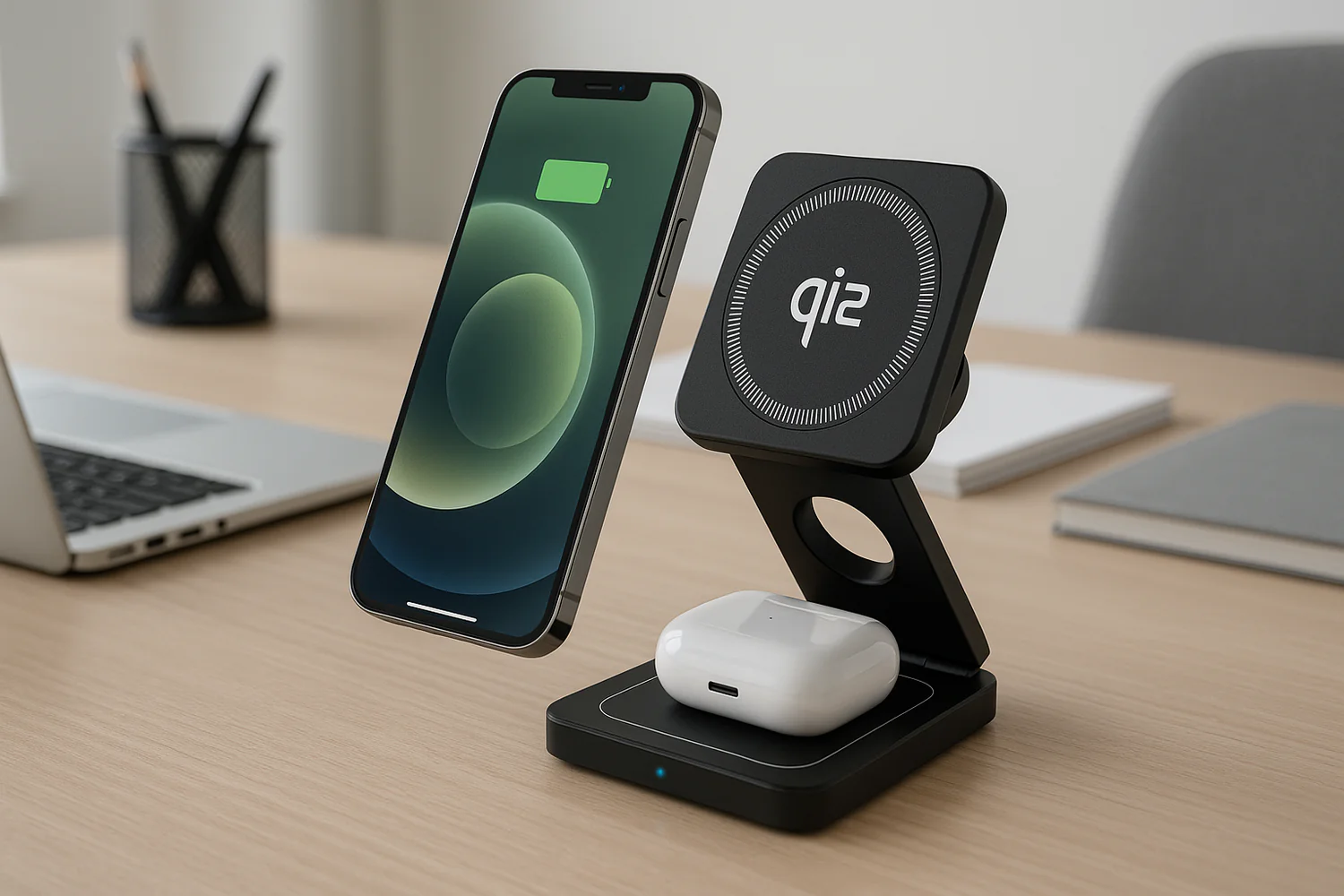
Choosing the right charger has become increasingly important as modern devices require faster, safer, and more efficient power delivery. Phones, tablets, laptops, and accessories all have different charging needs, and using the wrong charger can result in slow charging, excess heat, or unreliable performance.
This evergreen guide explains how to choose the right charger using a simple, decision-based framework. It is designed to help you select a charger that works reliably across home, work, and travel setups without relying on technical jargon or marketing claims.
Why Choosing the Right Charger Matters
Modern devices regulate how much power they draw, but that system only works when the charger can deliver stable and compatible output.
Using an underpowered or poorly designed charger can lead to:
Slower charging speeds
Heat buildup during use
Difficulty charging higher-power devices
Long-term battery degradation
A well-chosen charger supports consistent performance and helps protect device batteries over time.
Step 1: Understand How Much Power Your Devices Need
Charger wattage refers to the maximum power the charger can provide, not what it forces into a device. Each device draws only the power it requires.
Typical power ranges include:
Smartphones: 18W–30W
Tablets: 20W–45W
Laptops: 45W–100W or more
Small accessories: 5W–15W
When charging multiple devices at the same time, the charger must support the combined wattage demand.
For a deeper explanation of how charger wattage works and how to calculate it correctly, see this guide: The Geek Blog – How to calculate charger wattage
Step 2: Choose the Right Charging Port
USB-C (Preferred Standard)
Supports fast charging and USB Power Delivery
Works across phones, tablets, laptops, and accessories
Most future-ready option
USB-A (Legacy Support)
Common on older chargers
Slower charging speeds
Useful for older cables and devices
For modern charging setups, chargers should prioritize USB-C ports, with USB-A included only when needed for compatibility.
Step 3: Choose Based on Where You Charge Most Often
Home Charging
At home, chargers are often shared across multiple devices. Multi-port chargers reduce clutter and make it easier to power phones, tablets, and accessories from a single outlet.
Work or Desk Setup
Desk setups benefit from chargers that support:
Multiple devices at once
Stable, consistent power delivery
Clean cable management
Multi-device chargers are typically the most practical option for workspaces.
Travel Charging
For travel, look for:
Compact designs
Foldable plugs
Enough wattage to support more than one device
A single high-quality charger can often replace several individual adapters while traveling.
Step 4: Single-Device vs Multi-Device Chargers
Single-port chargers are suitable when charging one device at a time, such as during short trips or quick recharges.
Multi-port chargers are better for everyday use when multiple devices need power simultaneously. They reduce outlet dependency and simplify charging setups.
If you regularly charge more than one device per day, a multi-device charger offers greater flexibility.
Step 5: Why GaN Chargers Are More Efficient
Gallium Nitride (GaN) chargers use more efficient components than traditional silicon chargers, allowing them to deliver higher power in a smaller form factor.
Benefits of GaN chargers include:
Smaller size and lighter weight
Improved heat management
Higher wattage without bulky designs
GaN technology is especially useful for desk setups and travel where space and efficiency matter.
Step 6: Wired vs Wireless Charging
Wired charging provides faster and more efficient power delivery, making it ideal for laptops, tablets, and quick charging needs.
Wireless charging prioritizes convenience, especially for phones and earbuds, but typically charges more slowly than wired options.
Many users combine wired and wireless charging depending on speed and convenience preferences.
Common Charger Mistakes to Avoid
Using low-wattage chargers for multiple devices
Relying on outdated charging standards
Overloading a charger without sufficient total wattage
Choosing uncertified or poorly built adapters
Avoiding these mistakes helps ensure safe and reliable charging.
Safety Features to Look For in a Charger
A quality charger should include:
Over-current protection
Over-voltage protection
Temperature regulation
Certified power delivery standards
These features help protect both devices and household electrical systems.
Choosing a Charger for Everyday Use
The best charger is one that matches how devices are used day to day. For many users, a 30W USB-C adapter provides a strong balance of speed, safety, and versatility for phones, tablets, and accessories.
Need a Deeper Breakdown?
This guide focuses on decision-making—helping you choose the right charger based on how and where you charge your devices.
If you want a more detailed, educational breakdown of charger wattage, charging standards, and how different devices interact with power adapters, the full explainer is covered on The Geek Blog:
That guide walks through charger fundamentals in more depth, while this evergreen post helps you apply those concepts to real-world choices.
Final Takeaway
Choosing the right charger is about understanding device needs, charging environments, and usage patterns. With the right wattage, modern ports, and proper safety features, a single charger can reliably support multiple devices over time.
A good charger should remain unnoticed—and simply work when needed.
When charging feels slow, inconsistent, or unreliable, the charger usually gets blamed first. But in many real-world setups, the cable is the limiting factor.
Cable quality plays a major role in charging speed, device safety, and long-term reliability—especially with modern USB-C fast charging standards.
If you have ever wondered why a high-wattage charger still charges slowly, or why cables run hot or fail early, the answer often comes down to what is happening inside the cable itself.
Why Cable Quality Matters More Than You Think
Modern devices do not simply accept power blindly. They negotiate voltage, current, and safety limits before charging begins.
A cable that cannot properly support that negotiation will quietly throttle performance—or worse, introduce safety risks.
Key factors influenced by cable quality include:
Power delivery efficiency
Heat buildup during charging
Voltage stability under load
Long-term device and battery health
Charging Speed: Where Cheap Cables Fall Short
Fast charging relies on clean power delivery from charger to device.
Low-quality cables often use:
Thin internal wiring
Poor shielding
Inconsistent soldering
Inferior connector materials
These limitations cause voltage drop, meaning your device never receives the full power your charger is capable of delivering.
Even with a 65W or 100W charger:
A weak cable may cap charging at 20W–30W
Charging times increase noticeably
Power delivery becomes unstable under load
This is one of the most common reasons fast charging “does not work” as expected.
Safety Risks of Poor Cable Construction
Charging safety is not only about speed—it is about heat and control.
Inferior cables are more likely to:
Overheat during sustained charging
Degrade insulation over time
Create inconsistent power flow
Fail silently before visibly breaking
Heat buildup is especially dangerous during overnight charging or laptop charging sessions where higher wattage is sustained for longer periods.
Quality cables are designed to:
Handle higher current without overheating
Maintain insulation integrity
Regulate power flow safely
The Role of USB-C Standards and E-Marker Chips
Not all USB-C cables are the same.
High-quality USB-C cables designed for fast charging include E-Marker chips, which communicate safe power limits between the charger and device.
Without proper E-Marker support:
Devices may refuse fast charging
Power output may be reduced automatically
Charging behavior becomes inconsistent
This matters most for:
Laptops
Tablets
Power banks
High-wattage phone chargers
A cable may look identical on the outside, but the internal electronics make all the difference.
Durability and Long-Term Reliability
Cable failure rarely happens suddenly. It builds up over time through:
Repeated bending near connectors
Heat stress from high-power charging
Internal wire fatigue
Higher-quality cables use:
Reinforced strain relief
Thicker copper conductors
Stronger connector housings
This results in cables that charge consistently and last longer—saving money and reducing frustration.
How to Choose a Better Charging Cable
When selecting a charging cable, look for:
Certified USB-C Power Delivery support
Wattage rating that matches your charger (60W, 100W, or higher)
Reinforced connector ends
Clear specification labeling
Compatibility with laptops and fast-charging devices
A well-built cable ensures your charger performs at its full potential while protecting your devices.
This post builds on our deeper breakdown of cable construction, power delivery standards, and real-world charging performance:
Charging myths are everywhere, especially on social media. Most of them sound convincing because charging is invisible. You cannot see power negotiation, heat buildup, or battery protection features working in the background.
This WordPress post is the practical, evergreen version. It summarizes the myths people repeat and gives clear, safe charging habits you can follow immediately.
Why These Myths Keep Coming Back
Charging myths persist for three reasons.
1) Old advice gets recycled. Battery guidance from years ago still gets repeated, even though devices and standards changed.
2) “Ports and watts” are easy to misunderstand. People assume higher wattage forces power into a phone. Modern USB-C Power Delivery does not work that way.
3) Heat is misunderstood. Most battery wear people blame on “fast charging” is actually caused by heat and poor accessories.
The 7 Charging Myths People Still Believe
Each section below is intentionally short. The full detailed explanations live in the Geek Blog guide.
Myth 1: Fast charging damages your battery
Modern devices are designed to charge quickly and safely when you use certified chargers and cables. The real risk comes from low-quality accessories that run hot or negotiate power poorly.
Myth 2: Charging overnight ruins the battery
Most modern phones slow or pause charging at full capacity to reduce stress. Overnight charging is not the problem.
Heat is.
Myth 3: Using your phone while charging is unsafe
Using your phone while charging is typically safe. Problems are usually tied to damaged cables, counterfeit adapters, or uncertified chargers.
Myth 4: You must fully drain your battery before charging
That advice is outdated for lithium-ion batteries. A practical habit is avoiding extreme lows and highs when possible.
Myth 5: Third-party chargers are unsafe
Third-party chargers can be safe if they meet recognized safety standards and use quality components. The issue is not “third-party.” The issue is “uncertified.”
Myth 6: Leaving your phone on a wireless charger all day is harmful
Modern Qi and Qi2 chargers regulate power and manage heat. What matters most is using certified wireless chargers and avoiding hot environments.
Myth 7: Your charger must match your phone’s exact wattage
Your phone draws only what it needs. A higher-watt charger does not force extra power into your device.
What Actually Matters Most
If you remember one thing, remember this:
Heat is the #1 killer of battery health.
Not charging speed. Not overnight charging. Not using a higher-watt charger.
Quick Safe-Charging Checklist
Use this as your everyday standard.
Avoid
Counterfeit or uncertified chargers
Damaged or frayed cables
Charging while gaming for long periods
Leaving devices in hot cars
Covering phones or chargers with fabric
Thick cases that trap heat during wireless charging
Prefer
Certified chargers with modern protections
Quality cables that can handle the power safely
GaN chargers that run cooler
Qi2 magnetic alignment when using wireless charging
Charging myths refuse to die because they sound simple and spread quickly. Modern charging is safer than most people think, but accessory quality and heat management still matter.